







Equipment portfolio
QUICK
Soldering, dispensing and assembly
QUICK offers dispensing platforms and valves, soldering and screw-locking equipment, FPC hotbar systems and bench soldering/rework tools. Process monitoring, connectivity and accessories depend on the selected equipment.
QUICK's represented scope covers fluid application, soldering, hotbar and mechanical assembly, plus the bench equipment around those processes. Select the process first, then specify motion, tooling, inspection and traceability.
Solutions
- Automation & dispensing robots
- Soldering systems
- Hotbar, screw locking and assembly applications
- Smart soldering, rework, ESD & fume exhaust
QUICK · 01 / 04
Automation & dispensing robots
Precision assembly.
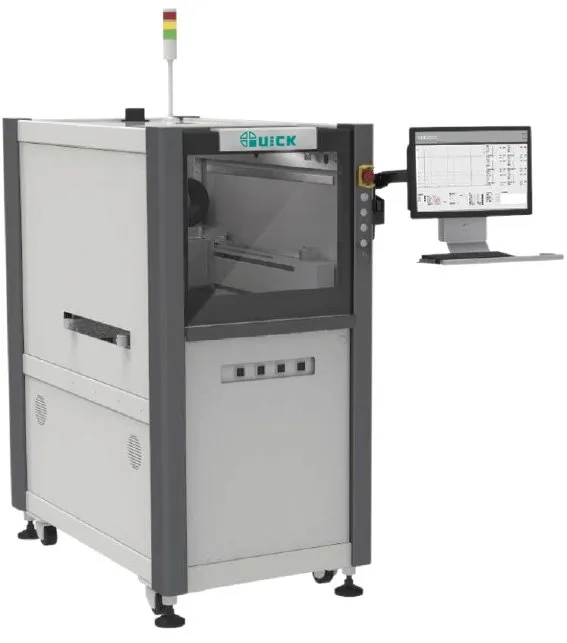
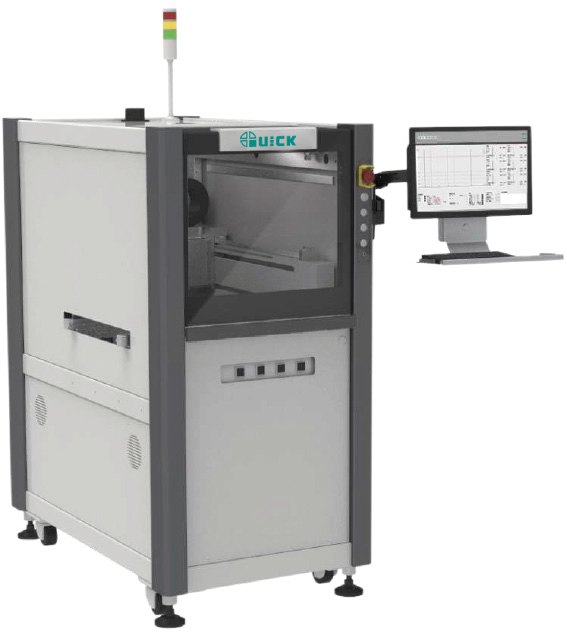
QUICK lists in-line and desktop dispensing platforms, integrated vision and configurable valve technologies. Confirm drive, height sensing, fluid control and conveyor options on the exact quoted model.
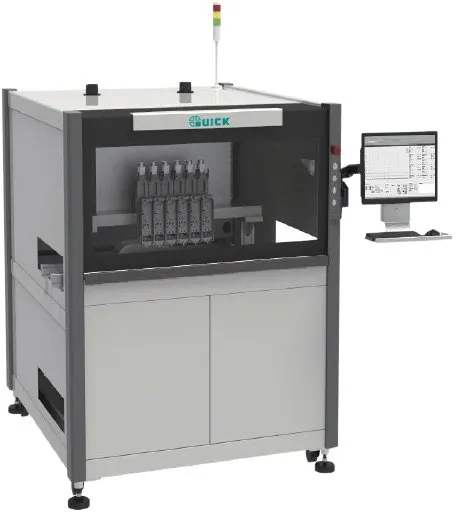
In-line dispensing robot
Dispensing for conveyor-based production
An in-line dispensing family combining conveyor handling, vision and configurable valve technology. The exact drive, work envelope and fluid options must be specified together.
View product online- Linear/servo drive selection depends on model
- Integrated vision and configurable material application
- Define MES data exchange for the selected system
Applications
- Dispense reinforcement around connectors on conveyor-fed circuit boards.
- Apply encapsulant around component pins on a production line with defined areas to keep clear.
How should I compare the QS800H and QM800 examples?
QUICK lists servo drives on all three axes for QS800H and linear XY drives with servo Z for QM800. Compare the time and placement error on the complete dispensing path with your panel and valve.
What do I need to specify for vision or bead inspection?
Provide the fiducials, the bead drawing and examples of acceptable and unacceptable deposits. Confirm which alignment and inspection functions the proposed conveyor platform includes.
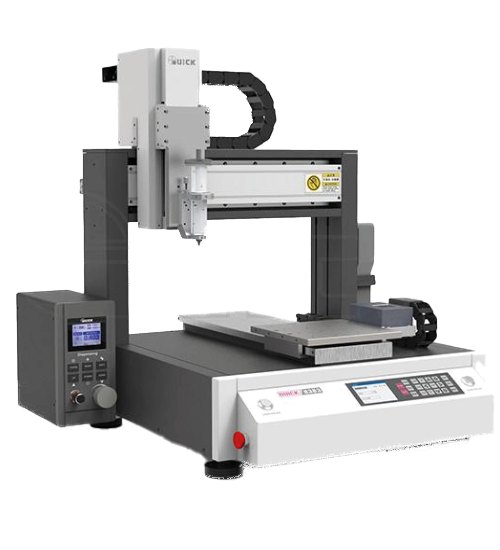
Desktop dispensing robot
Desktop dispensing family
A desktop dispensing family for fixture-based processing. Confirm the required robot and valve rather than applying the in-line platform's specifications.
View product onlineApplications
- Dispense UV-curable adhesive on a flexible circuit held in a bench fixture.
- Trial localized solder-paste deposits where a stencil cannot reach.
What should I check before selecting a QT300S or QT400A configuration?
Check the fixture footprint and height, full deposit pattern, valve clearance and access for loading. QUICK lists common positioning figures for these examples, so verify usable travel and mounting details on the proposed configuration.
Should a paste dispense and an adhesive bead use the same valve?
Select the valve with samples of both materials. Paste with particles and an adhesive bead have different flow and deposit requirements. Check dose variation, cleaning and material changeover on the bench.
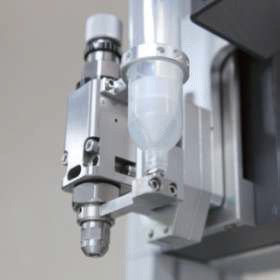
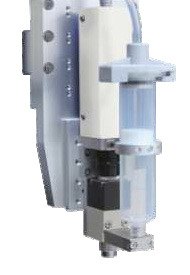
Valve technologies
- Piezoelectric injection valves
- Precision screw valves
Applications & selection
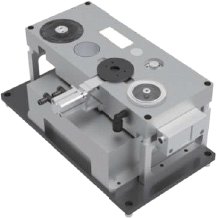
QUICK combines dispensing motion with vision and fluid-delivery options such as piezo jetting and screw valves. Valve choice depends on the material and deposit; a platform's positioning figure does not establish dispensing accuracy for every fluid.
Where it fits
- Underfill, edge bonding and dam-and-fill
- Conductive adhesive, solder-paste and coating applications
What to consider when selecting
- Supply viscosity, particle/filler data, pot life and target dot or line geometry for a material trial.
- Choose desktop or in-line handling from board loading, production rate and recipe changeover needs.
- Specify height sensing, heating, vision and deposit verification separately for the required process.
QUICK · 02 / 04
Soldering systems
Define the soldering workflow and required feedback.
QUICK lists in-line and desktop soldering equipment. Published functions include temperature compensation, visual positioning, nozzle cleaning, tip-position calibration and MES data interaction; confirm which are included on the selected model.
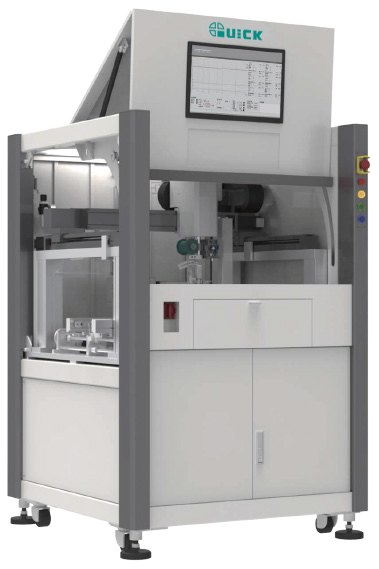
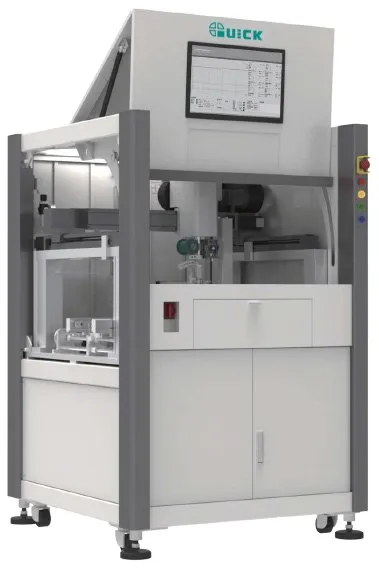
Enclosed soldering system
Automated soldering for production
A soldering-equipment family for production applications. Confirm enclosure, transport, monitoring, tip calibration and accessories on the proposed model.
View product online- Specify in-line handling, vision alignment, tip calibration and the required process-data interface.
Applications
- Solder accessible terminals on palletized electronics moving between line stations.
- Run programmed solder joints on control boards before optical inspection.
Which dimensions determine fit on a soldering line?
Compare fixture dimensions, rail height and the positions of the outermost joints. For example, QUICK lists an adjustable rail width and a separate soldering area for its S100-T4.
What records should I specify for a soldering cell connected to MES?
Define board ID, recipe, the process data to retain and how the line will handle failed joints. Confirm the selected robot and line controller can exchange those records with the manufacturing execution system (MES).
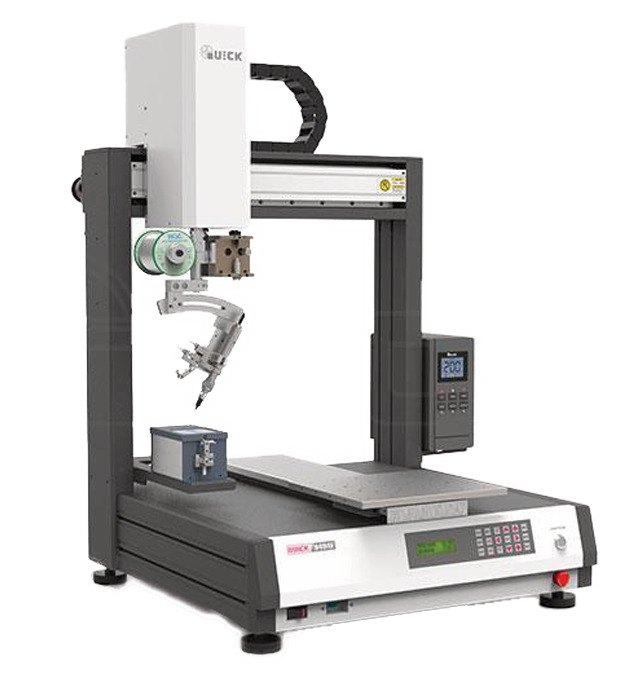
Desktop soldering robot
Repeatable point and drag soldering
QUICK lists desktop soldering machines. Define joint access, tip, solder feed, fixtures and programmed path for the application.
View product online- Desktop soldering configurations require application-specific fixtures, joint programming and tip selection.
Applications
- Solder individual through-hole connector pins in a manually loaded fixture.
- Program a drag path along a row of accessible terminals on a small assembly.
When does a desktop soldering robot need a fourth axis?
QUICK lists three- and four-axis desktop machines. Evaluate tip rotation when joints face different directions or when the solder-wire approach must change to clear nearby parts.
What samples should I bring to test point or drag soldering?
Provide populated boards, solder wire and your joint acceptance criteria. Include the largest thermal loads and the tightest spacing to check tip geometry, wire access and fixture support.
Published functions to specify by model
- Temperature compensation
- Visual positioning
- Soldering nozzle cleaning
- Tip-position calibration
- Solder monitoring and MES data interaction
Applications & selection
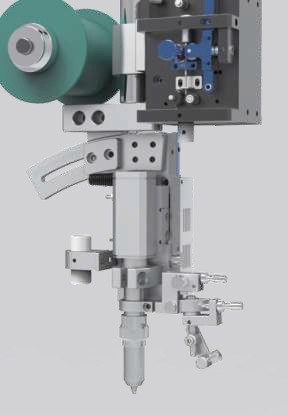
Automated iron soldering controls the motion and solder feed around each joint. Vision alignment, tip-position calibration, automatic cleaning and process monitoring are available within QUICK's soldering configurations.
Where it fits
- Repeated connector and wire solder joints
- Desktop cells or in-line automatic soldering
What to consider when selecting
- Provide joint access, thermal mass, solder-wire specification and acceptable cycle time.
- Include tip cleaning and consumable changes in the production plan.
- Define which process values and inspection results must be logged per product.
QUICK · 03 / 04
Hotbar, screw locking and assembly applications
Match the joining or fastening method to the product.
FPC hotbar systems use controlled temperature and pressure. Screw-locking and other assembly platforms have separate tooling and control requirements; choose the exact machine for the operation.
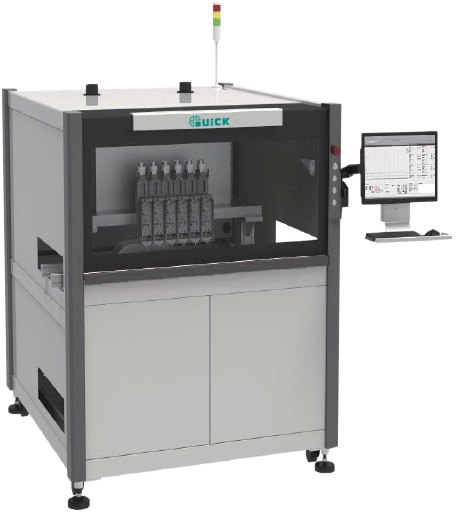
Hotbar robot
Configurable FPC hotbar equipment
QUICK lists tabletop, turntable and multi-head hotbar arrangements with temperature/pressure control. Select the actual head count, handling method and fixture for the FPC joint.
View product online- Temperature and pressure closed-loop control in the FPC hotbar range
- Confirm loading/unloading and head arrangement
- QUICK lists tabletop, turntable and multi-head hotbar configurations; select heat and pressure control for the joint.
Applications
- Join flexible printed circuits (FPCs) in mobile-device and wearable assemblies.
- Evaluate indexing or multiple heads for repeat production of the same flexible-circuit joint.
How do I choose tabletop, turntable or multiple heads?
Time loading, alignment, heating, cooling and unloading on your joint. Use that cycle to see whether overlapping loading and soldering or processing multiple joints at once meets your output target.
How do I qualify pressure control on a flexible-circuit assembly?
Use representative FPC layers and fixtures to check thermode contact across the pad row. Qualify pressure, temperature and dwell time together against bond strength and joint inspection criteria.
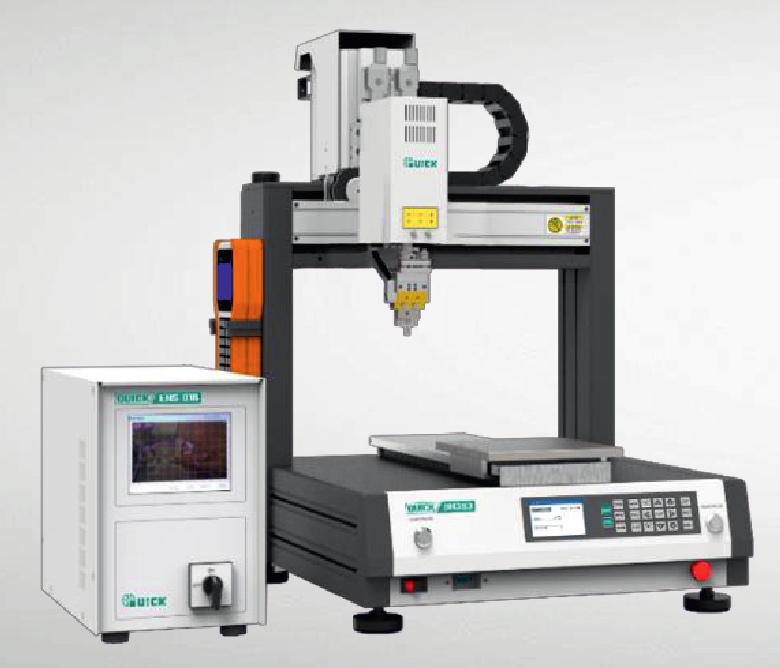
Hotbar soldering robot
Benchtop hotbar bonding
The ET9H393 is QUICK’s three-axis benchtop example for bonding flexible circuits with a heated bar. Size the thermode and fixture for the joint stack. Confirm the installed footprint with the controller and the electrical supply for the configuration quoted.
View product online- Request the thermode, fixture and temperature/pressure recipe for the FPC stack being joined.
| Technical information | |
|---|---|
| ET9H393 XYZ travel | 300 × 300 × 100 mm |
| ET9H393 Z-axis / platform load | 5 kg / 8 kg |
| Motion platform / controller power | 200 W / 1,500 W |
| Machine mass without controller | 65 kg |
Applications
- Bond a flexible circuit to pads on a rigid circuit board with a heated bar (thermode).
- Qualify a small-batch FPC joint in a dedicated bench fixture.
How do I choose a thermode width for a bench hotbar process?
Provide pad-row length, pitch and clearances at both ends. Verify uniform contact over the joint and protect adjacent components by checking the clamped stack in the proposed fixture.
What should I check against the desktop machine’s travel?
Use the loaded fixture height and the thermode’s approach and retract positions. QUICK publishes XYZ travel and separate tool and platform load limits for its desktop example.
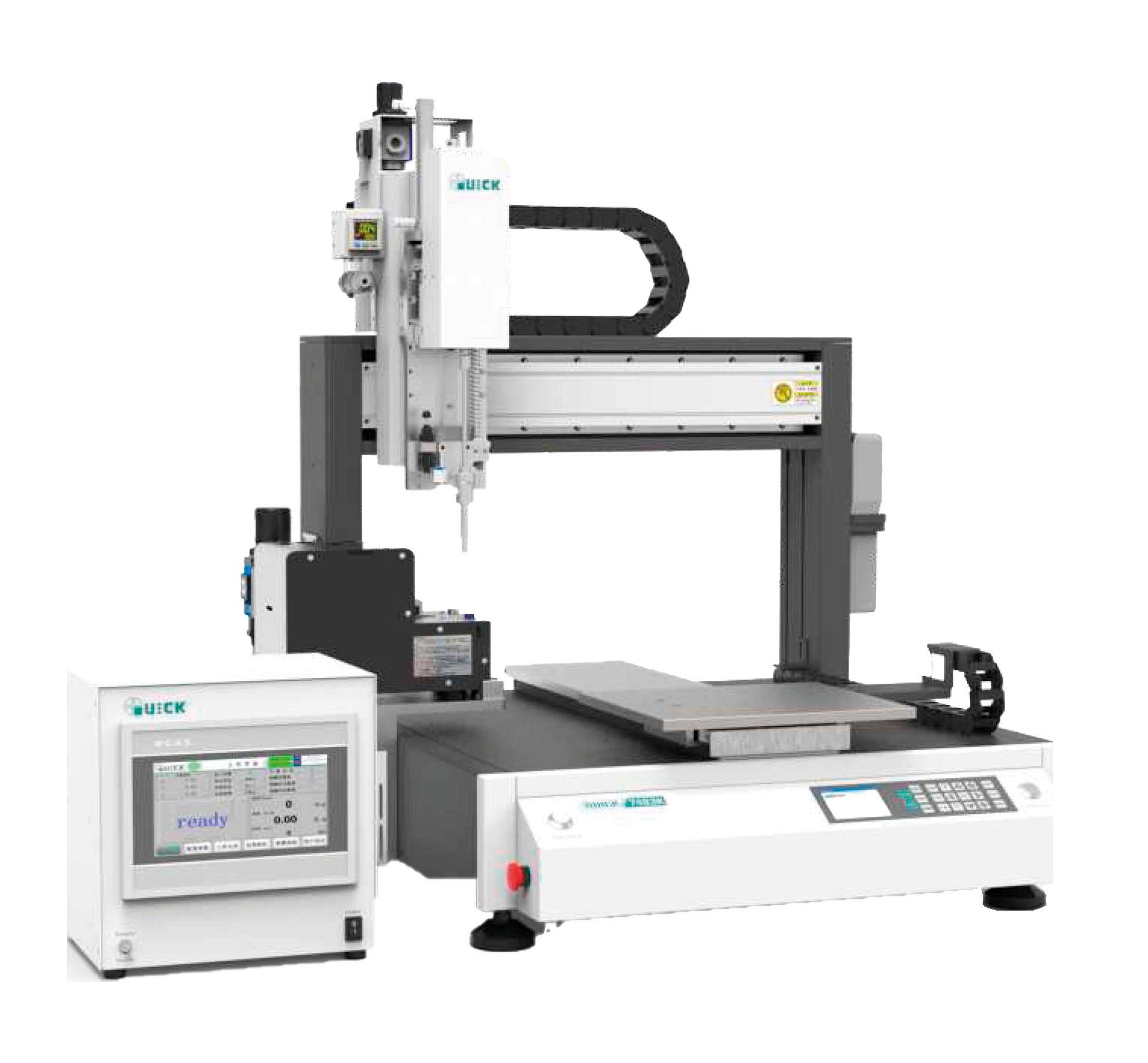
Screw-locking robot
Automated screw feeding and driving
QUICK lists desktop and in-line screw-locking equipment. Confirm screw-feed method, driver, torque requirements and product fixtures for the selected configuration.
View product online- Confirm screw-feed method and product tooling; desktop and in-line screw-locking are separate configurations.
Applications
- Fasten an electronics housing to threaded bosses using a repeatable screw sequence.
- Install screws into a module on a conveyor-fed pallet or a manually loaded bench fixture.
When should I test suction or air-blow screw feeding?
QUICK offers both methods in its in-line range. Send the screw drawing and actual screws to test head shape, length, pickup or delivery reliability and access to recessed holes.
What must the fastening trial measure before choosing a desktop or in-line machine?
Measure fastening cycle time and repeatability of the required torque on real threads. Include loading and changeover and specify which values or fault signals must reach the line controller.
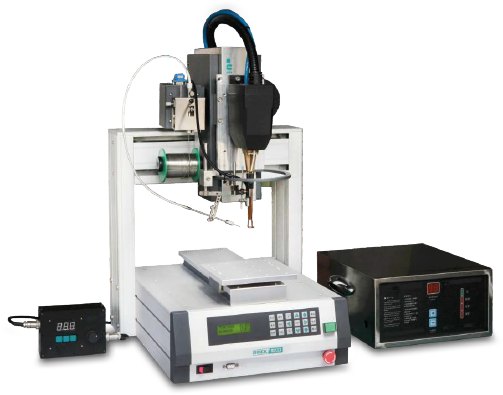
Joining application review
Review the joining method for your parts
Share your part materials, joint design and production requirements with a sales representative. We’ll help you review the joining method and identify equipment for an application evaluation.
View product onlineApplications
- Review how to join a thin metal tab to a terminal when heat must stay near the joint.
- Evaluate joining options for closely spaced conductive parts on a small assembly.
What samples and drawings are needed to review a metal-to-metal joint?
Share both alloys, thicknesses, platings and overlap geometry, plus samples showing tool access. Include electrical and mechanical acceptance criteria so candidate joining methods can be evaluated on the same part.
What should a trial check near a heat-sensitive housing?
Set acceptable thermal exposure and joint strength with the product team. Review how the material stack and fixture conduct heat, then test representative assemblies before selecting the equipment.
Applications & selection
The represented assembly cells include hotbar, screwdriving and related joining tasks. Hotbar applies controlled heat and pressure; assembly tooling and product fixtures determine access, alignment and repeatability.
Where it fits
- FPC joining and hot-pressure soldering
- Automated screw fastening and repeated assembly operations
What to consider when selecting
- For hotbar, define the joint stack, thermode geometry, temperature profile and force window.
- For screwdriving, define screw presentation, torque requirements and access before choosing air-blow or other feed methods.
- Confirm the exact joining method and controller; the illustrated family names do not identify a complete machine configuration.
QUICK · 04 / 04
Smart soldering, rework, ESD & fume exhaust
Specify station functions and required process records.
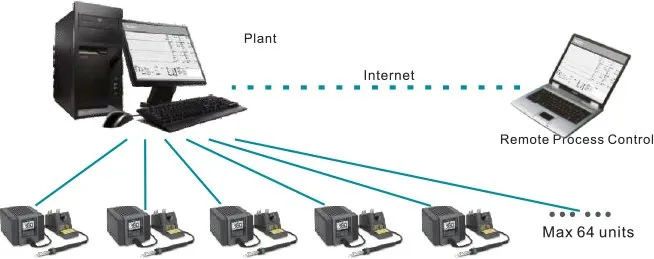
Select compatible soldering stations, process-monitoring software and network interfaces for remote control and traceability. Confirm the station count and supported data with the selected controller and software. Rework and fume extraction complete the bench.
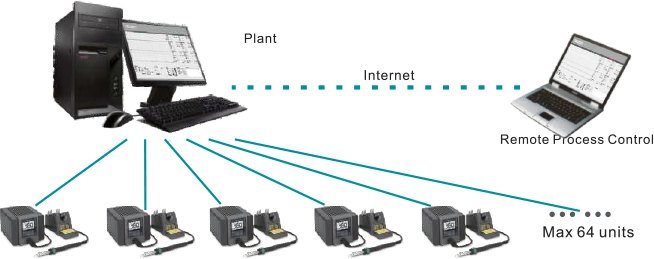
Network management
Remote process control and data traceability with compatible stations and software; network capacity depends on configuration.
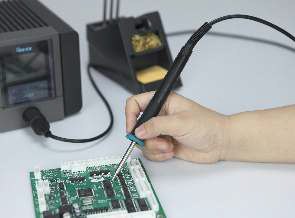
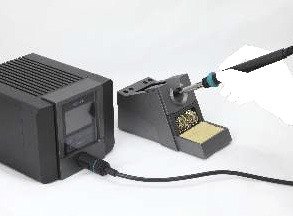
Smart irons
Station variants have different heating power, tip and monitoring features. Confirm the selected station’s functions.
Critical rework
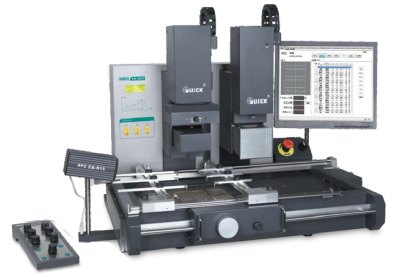
Rework, preheating and desoldering tools are listed separately; password locking, ESD monitoring and zone heating depend on the selected product.
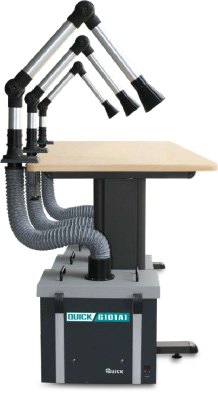
Fume exhaust
Select extraction airflow, capture position, filters and maintenance for the actual soldering process.
Applications & selection
The bench portfolio includes intelligent soldering, rework, extraction, ESD equipment and measurement tools. Connected station functions depend on the controller and network option selected.
Where it fits
- Controlled manual soldering and electronic rework
- Bench fume extraction, ESD control and temperature checking
What to consider when selecting
- Size the heater and tip against joint thermal demand, including recovery between joints.
- Match extraction inlet arrangement and filters to the workstation and process.
- Specify required temperature access control, data collection and ESD-monitoring options for each station.
Common questions
Are the desktop and in-line dispenser names exact model specifications?
They describe families on this page. Confirm the quoted platform and valve; QUICK lists several systems with different drives, repeatability and positioning specifications.
What distinguishes hotbar from an iron-soldering robot?
Hotbar combines controlled pressure and temperature over the joint area. An iron system moves a tip and solder feed between individual joints. The product's joint geometry determines the process.
What information is needed to compare connected bench stations?
Specify heating demand, tip family, permitted temperature settings, required records and ESD monitoring. Connectivity and functions differ across the station range.
Documentation & references
Images illustrate products or families; they do not establish the revision or accessories of quoted equipment. Capabilities and options depend on configuration and process conditions. Confirm requirements with an applications engineer.
- QUICK precision dispensing: platforms and valveshttps://en.quick-global.com/product/54.html
- QUICK soldering and screw-locking assemblyhttps://en.quick-global.com/product/33.html
- QUICK FPC hotbar: temperature and pressure controlhttps://en.quick-global.com/product/59.html
- QUICK tools: station variants and accessorieshttps://en.quick-global.com/product/74.html
- QUICK in-line iron soldering examplehttps://en.quick-global.com/proinfo/172.html
- QUICK desktop iron soldering configurationshttps://en.quick-global.com/proinfo/41.html
- QUICK ET9H393 benchtop hotbar specificationshttps://en.quick-global.com/proinfo/175.html
- QUICK desktop screwdriving configurationshttps://en.quick-global.com/proinfo/187.html
- QUICK in-line screwdriving configurationshttps://en.quick-global.com/proinfo/185.html