








Skip to content
Mitsubishi ElectricMitsubishi Electric

Factory automation

Integrate machine controls, operator displays, motor drives and power monitoring in one cell.
Solution guide

Explore Mitsubishi Electric solutions

Select equipment for the installed network, electrical load and motion requirements.

01 / 01

Factory automation

Controllers read field signals and coordinate motion. Operator panels display machine states and alarms.

  • 01

    MELSEC and motion controllers

    Coordinate digital and analog I/O, machine sequences and motion tasks. Establish the required networks and scan time before selecting the CPU and modules.

  • 02

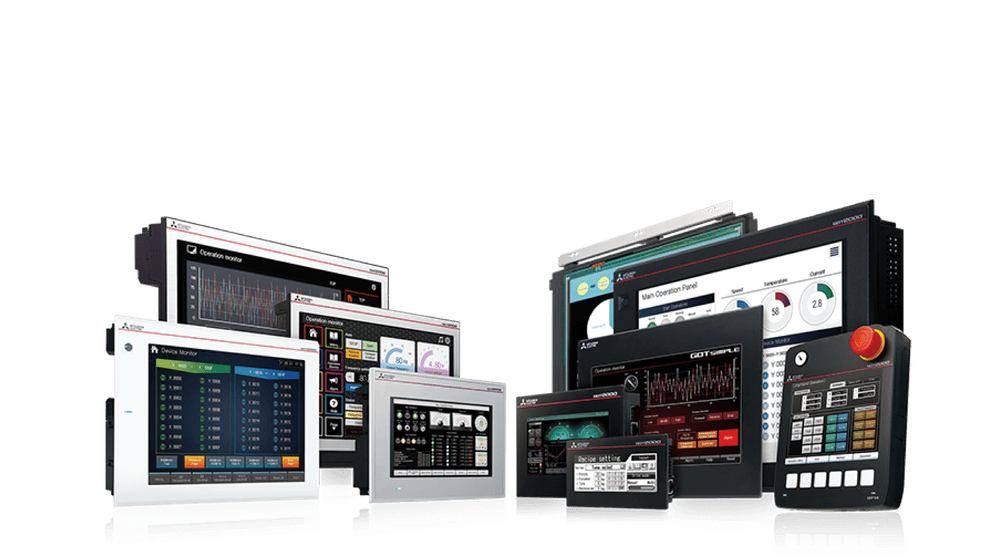
    GOT operator interfaces and SCADA

    Display operating states, alarms and production values at the machine or in a supervisory application.

  • 03

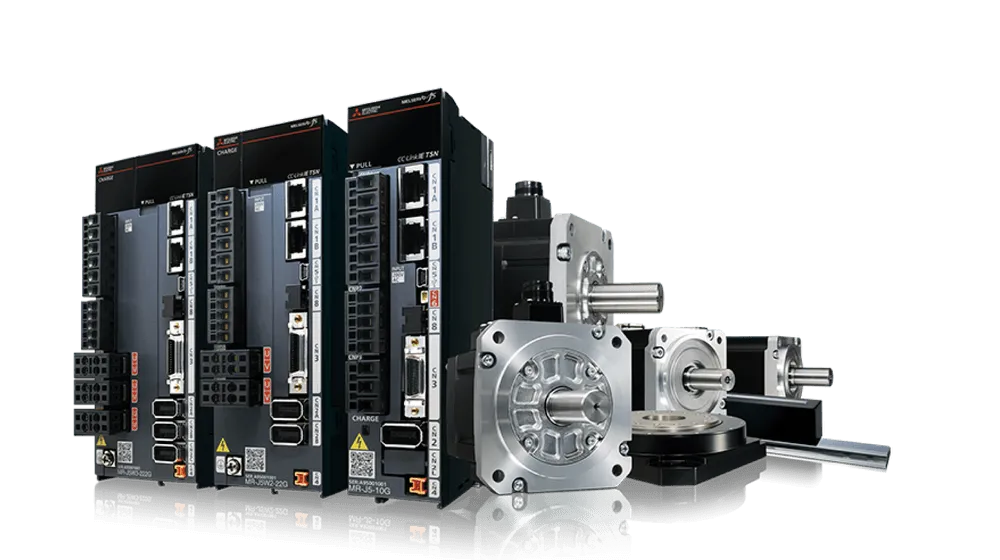
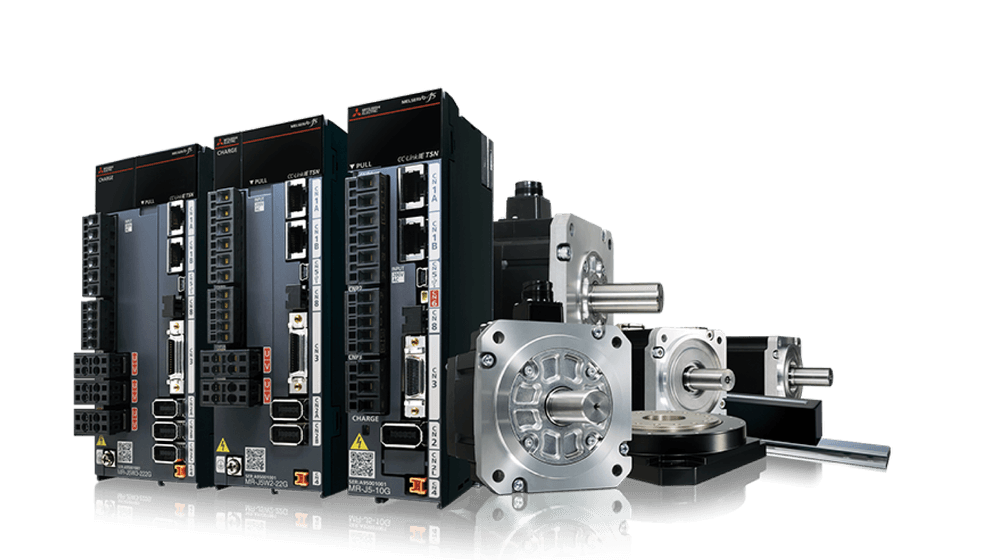
    MELSERVO servos and FREQROL drives

    Specify a servo for coordinated position control or an inverter for motor speed control. Load inertia, torque and duty cycle drive the selection.

  • 04

    Power distribution and monitoring

    Combine circuit protection, contactors and motor starters with metering to monitor equipment loads.
Applications & selection

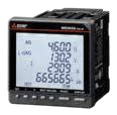
Drives move the axes. Panel meters track the cell’s electrical load.

Where it fits

  • Integrate a machine control panel or modernize the interface on an existing line.
  • Coordinate machine motion and measure electrical load by cell.

What to consider when selecting

  • List installed PLC, HMI, drive and network part numbers.
  • Document the axes, I/O count and required cycle time.
  • Provide motor nameplate, duty cycle and cabinet supply voltage.

Explore further

Documentation & references

Use the references for each solution to explore further. Talk to our sales team about the configuration, accessories and requirements for your application.

Images illustrate products or families; they do not establish the revision or accessories of quoted equipment.

Common questions

Which family handles machine sequencing?

MELSEC controllers execute the machine logic. Select I/O, communication and motion modules for the signals and axes in the cell.

How do GOT panels fit into an existing line?

Identify the controller, network and operator tasks. These determine the compatible HMI interface, screen and application software.

Which details are needed for a drive replacement?

Provide the installed part numbers, motor ratings, encoder or feedback interface, supply voltage and mechanical load. These define the compatible drive configuration.

Share product information

The right information. Ready to share.

Send this information to your team, or download a QR card with SMarTsol and brand logos for presentations and printed materials.

SMarTsol QR card for Mitsubishi Electric — all solutions

Ready to see it running?

Ask about demonstration availability for your selected equipment or request a tailored quote.

SMarTsol Technologies MéxicoMitsubishi Electric

Equipment portfolio

Mitsubishi Electric

Factory automation

Integrate machine controls, operator displays, motor drives and power monitoring in one cell.

Mitsubishi Electric industrial drive equipment

Select equipment for the installed network, electrical load and motion requirements.

Solutions

  1. Factory automation

https://smartsol.mx/en/brands/mitsubishi
contact@smartsol.mx

Mitsubishi Electric · 01 / 01

Factory automation

Controllers read field signals and coordinate motion. Operator panels display machine states and alarms.

MELSEC and motion controllers

Coordinate digital and analog I/O, machine sequences and motion tasks. Establish the required networks and scan time before selecting the CPU and modules.

GOT operator interfaces and SCADA

Display operating states, alarms and production values at the machine or in a supervisory application.

MELSERVO servos and FREQROL drives

Specify a servo for coordinated position control or an inverter for motor speed control. Load inertia, torque and duty cycle drive the selection.

Power distribution and monitoring

Combine circuit protection, contactors and motor starters with metering to monitor equipment loads.
Applications & selection

Drives move the axes. Panel meters track the cell’s electrical load.

Where it fits

  • Integrate a machine control panel or modernize the interface on an existing line.
  • Coordinate machine motion and measure electrical load by cell.

What to consider when selecting

  • List installed PLC, HMI, drive and network part numbers.
  • Document the axes, I/O count and required cycle time.
  • Provide motor nameplate, duty cycle and cabinet supply voltage.

Common questions

Which family handles machine sequencing?

MELSEC controllers execute the machine logic. Select I/O, communication and motion modules for the signals and axes in the cell.

How do GOT panels fit into an existing line?

Identify the controller, network and operator tasks. These determine the compatible HMI interface, screen and application software.

Which details are needed for a drive replacement?

Provide the installed part numbers, motor ratings, encoder or feedback interface, supply voltage and mechanical load. These define the compatible drive configuration.

Documentation & references

Images illustrate products or families; they do not establish the revision or accessories of quoted equipment. Capabilities and options depend on configuration and process conditions. Confirm requirements with an applications engineer.

  1. Mitsubishi Electric factory automation productshttps://www.mitsubishielectric.com/fa/products/index.html
  2. Factory automation manuals and catalogshttps://www.mitsubishielectric.com/fa/download/index.html