





Equipment portfolio
EasyRobotics
Robot workstations and feeders
EasyRobotics robot workstations and part feeders help you organize parts around the robot. Compare table, removable-tray, mover and drawer layouts to find the right approach for loading, unloading and replenishment.
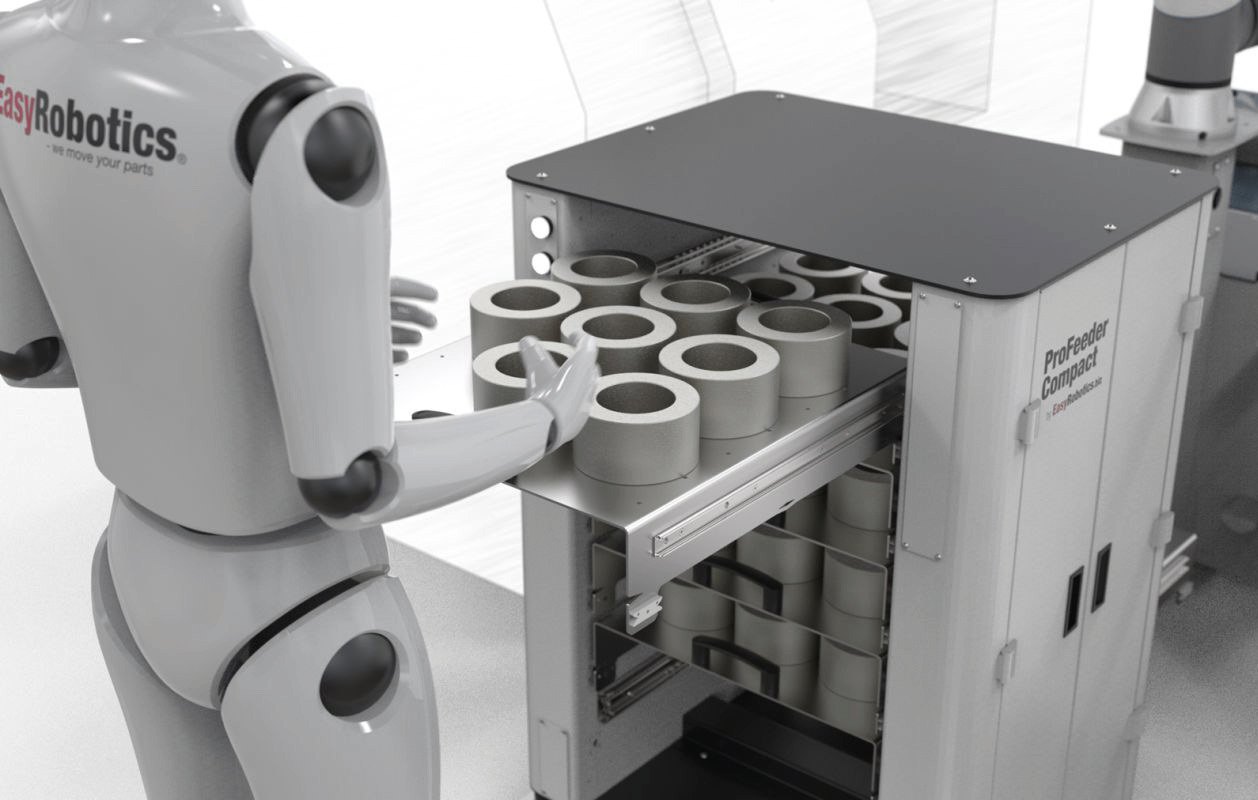
EasyRobotics provides the robot workstation and organized part supply around a cobot. Compare manual trays, exchangeable movers and multi-tray feeding according to batch size, replenishment and the space available beside the CNC.
Solutions
- ProFeeder robot cells
- ER5 mobile cobot platform
https://smartsol.mx/en/brands/easyrobotics
contact@smartsol.mx
EasyRobotics · 01 / 02
ProFeeder robot cells
Compare part staging and replenishment.
Choose how parts will be presented to the robot and replenished by the operator. Our team can help you compare the layouts, robot mounting and tray capacity for your cell, including compatibility when changing an existing setup.
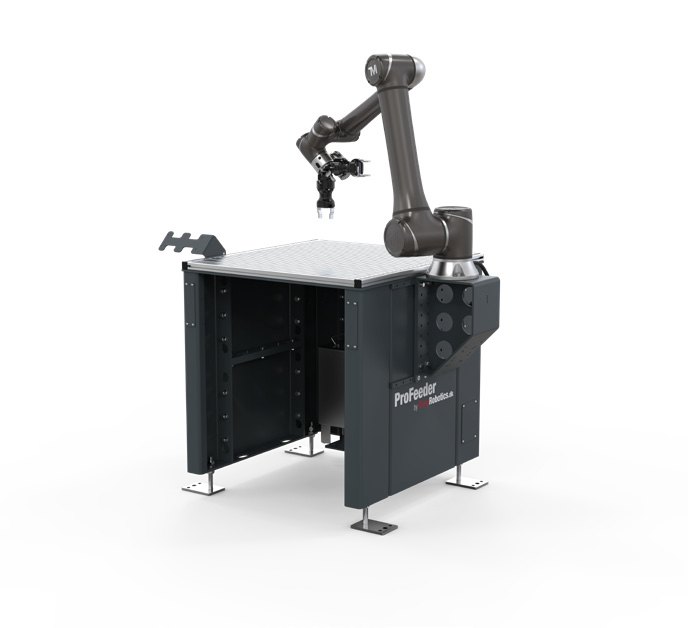
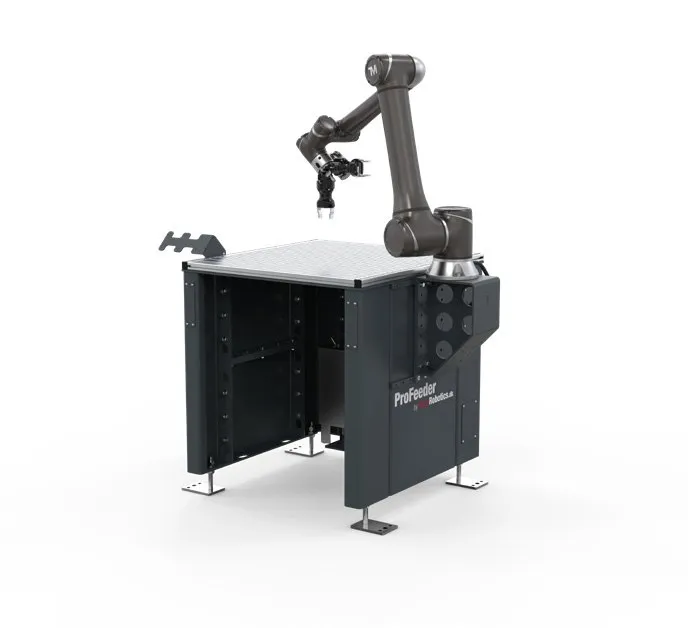
ProFeeder Table
Robot workstation table
A robot workstation table for fixtures or measuring equipment. Share your robot and task requirements so we can review the mounting arrangement and working space.
View product online- Mount fixtures or measuring equipment on the table; robot and application tooling are selected separately
Applications
- Mount a fixture for cobot assembly of small batches.
- Hold parts for polishing or deburring on the aluminum tabletop.
How should I choose the robot mounting side?
EasyRobotics lists mounting on three sides. Lay out the fixtures and planned approach paths on the table, then check robot reach and cable routing from each candidate position.
How are parts presented on the Table?
The current ProFeeder Alu has a 40 mm aluminum-profile tabletop. Plan the clamps or nests for each batch and leave space for the operator to change parts manually.
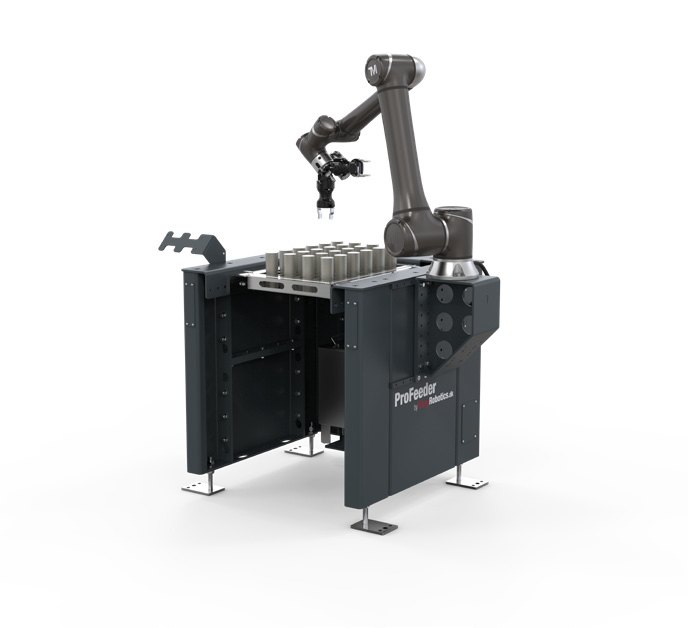
ProFeeder Light
One flexible, removable parts tray
A manually removable parts tray for staging work beside the robot. The manufacturer now lists this product category as ProFeeder Tray. Our team can help you match the tray and mounting to your parts.
View product online- One tray, removed and replenished manually
Applications
- Stage blanks in a removable tray for a cobot loading a CNC machine.
- Swap prepared trays during model changes at a small-batch assembly station.
Can I prepare the next batch away from the robot?
The ProFeeder Tray, formerly Light, uses a single manually removable parts tray. Prepare a compatible spare tray and verify that it locates each part within the gripper’s pickup tolerance.
How much installation space should I reserve?
EasyRobotics lists the PF-1000 T at 1,165 × 800 × 900 mm (L × W × H). Its sheet calls for floor anchoring. Allow additional room for manual tray removal and the robot’s full path to the machine.
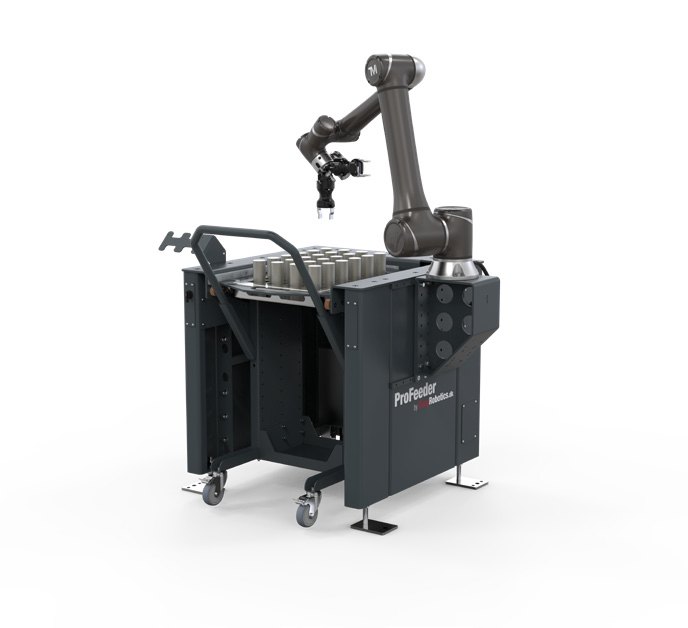
ProFeeder
Two-mover part-feeding layout
A layout with two movers and two parts trays. Review part positioning, tray centering and replenishment with our team to see how this approach fits your cell.
View product online- Two exchangeable movers support preparing the next batch outside the active position
| Technical information | |
|---|---|
| Parts trays / movers | 2 / 2 |
Applications
- Tend a CNC machine while an operator prepares the next batch on a second mover.
- Stage batches on movers for robotic handling at an assembly or inspection station.
What is centered when a mover is docked?
The original EasyRobotics brochure describes automatic centering of the tray relative to the robot after docking. Use a tray layout that also locates the individual parts for repeatable pickup.
How should I plan two-mover replenishment?
Use one mover at the robot and prepare the other away from the cell. Plan the exchange path and check how raw blanks and finished pieces will be separated and moved.
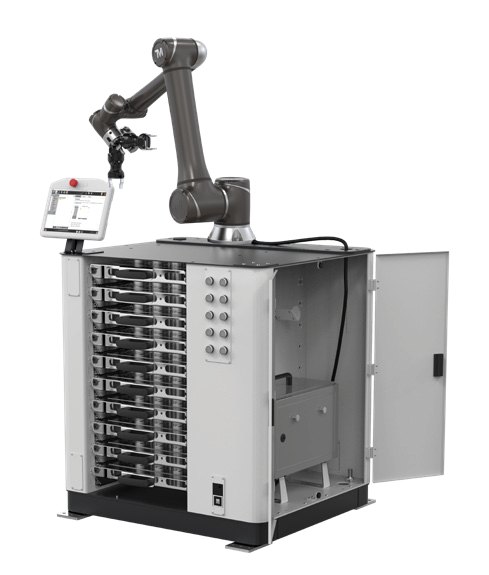
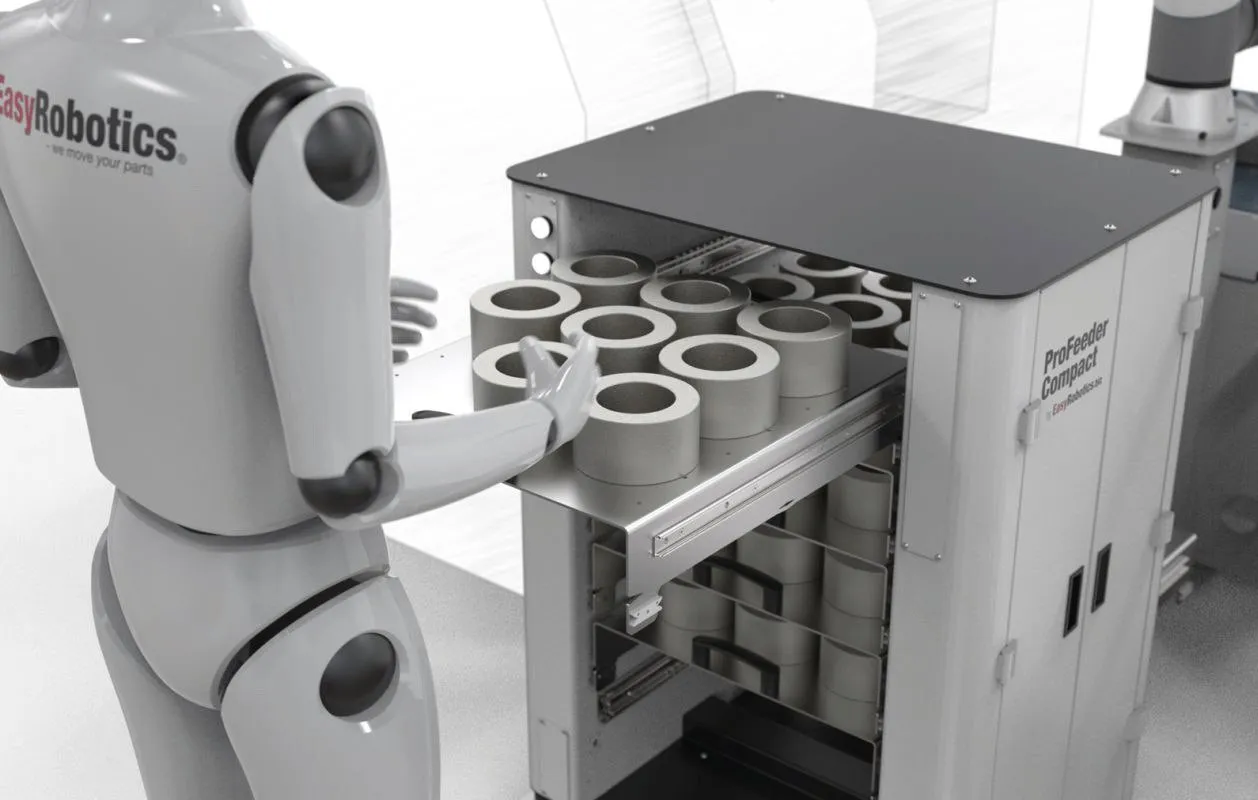
ProFeeder X
Drawer-based part-feeding configurations
Current ProFeeder X configurations offer 3 or 6 trays rated at 60 kg per tray, or 5 or 10 trays rated at 120 kg per tray. Choose tray count, part height and locking method together.
View product online- MechLock or AirLock; tray load and permitted part height depend on the ordered configuration
| Technical information | |
|---|---|
| Tray options | Configuration dependent; see current order table |
| Published tray-load configurations | 60 kg or 120 kg per tray; SKU dependent |
Applications
- Provide several trays of blanks for repeat CNC loading cycles.
- Dedicate trays to incoming blanks and machined parts in the same workcell.
How does part height affect the drawer configuration?
For 60 kg trays, the ProFeeder X order table lists a maximum part height of 240 mm with three trays or 120 mm with six. For 120 kg trays, the maxima are 160 mm with five trays and 80 mm with ten. Check the selected part number and gripper clearance.
What utilities do MechLock and AirLock require?
EasyRobotics describes MechLock as mechanically locked with manual release. AirLock uses compressed air with digital I/O control. Confirm the available air supply and control signals if you choose AirLock.
Application examples to evaluate
- Machine tending
- Polishing
- Welding
- Bin picking
- Assembly
- Measurement
Applications & selection
Compare a workstation table, a removable parts tray, a two-mover layout and the drawer-based ProFeeder X. The manufacturer now lists the Light category as ProFeeder Tray. We’ll help you review the part number and robot mounting for the layout you choose.
Where it fits
- CNC loading and unloading with repeatable tray coordinates
- Assembly, measurement and finishing fixtures beside the robot
What to consider when selecting
- Define part size, tray arrangement and replenishment time before choosing tray count; tray capacity alone does not determine unattended runtime.
- ProFeeder X offers MechLock mechanical and AirLock pneumatic locking. Confirm the ordered SKU: the current page lists several tray sizes and loads rather than one universal capacity.
- Plan CNC door/chuck signals, gripper orientation and robot placement as part of the cell. The feeder is one element of the loading sequence.
EasyRobotics · 02 / 02
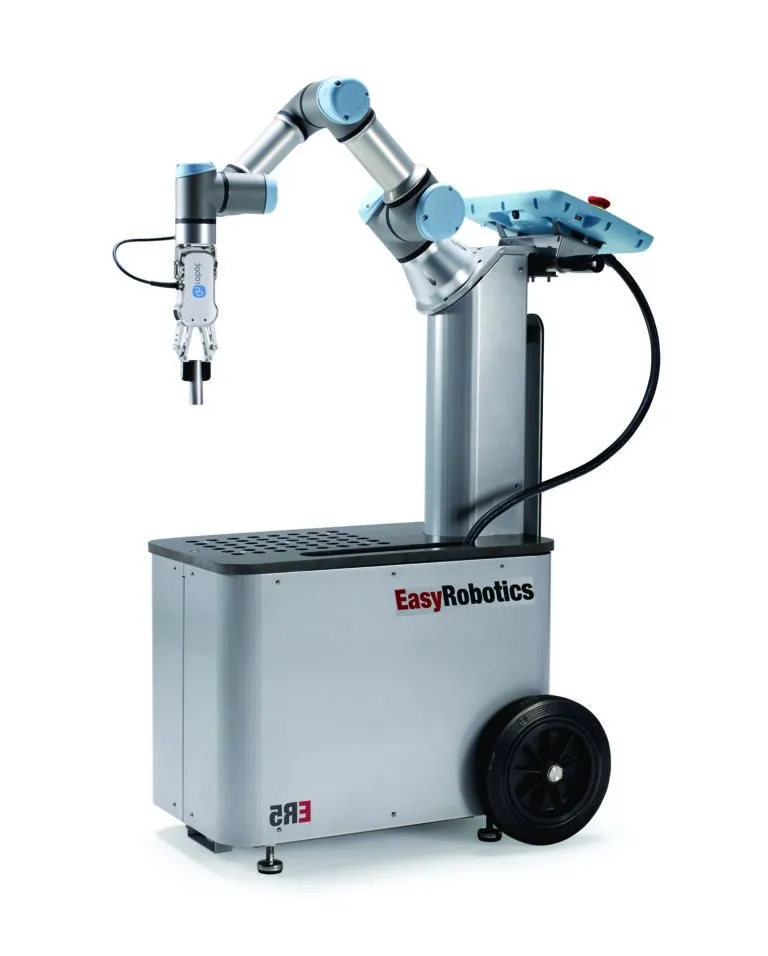
ER5 mobile cobot platform
Transport and redeployment planning.
The ER5 user manual, revision 2018-02-19, describes transport of an installed UR3 or UR5 between processing machines. Confirm compatibility with the actual robot generation and follow the documented stability and transport requirements.
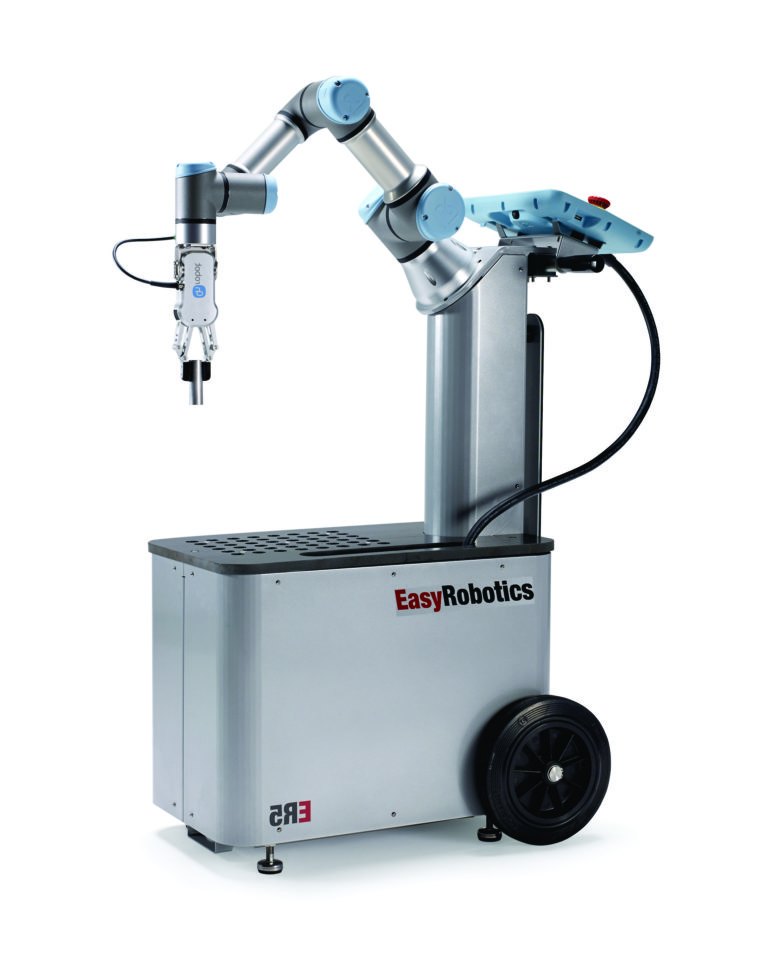
Applications & selection
ER5 is a movable workstation for transferring a mounted robot between machines. Its original manual specifies UR3/UR5 robots; model and mounting compatibility must be checked for the actual robot generation.
Where it fits
- Shared automation between processing machines in confined spaces
What to consider when selecting
- The platform is not bolted to the floor; verify stability at the task's payload, reach and speed.
- Follow the manual's transport and setup sequence before moving or restarting the workstation.
- Confirm the current mounting kit and robot compatibility; the available ER5 manual dates from 2018.
Common questions
Which entry configuration should I compare first?
Start with how you want to present and replenish parts: a table for fixtures, a removable tray or a two-mover arrangement. Then compare the drawer options in ProFeeder X. We can help you review space, loading and robot compatibility.
Are all ProFeeder X trays rated for 120 kg?
No. The current order table includes both 60 kg and 120 kg tray configurations, with different part-height limits. Specify the exact cell and tray arrangement rather than applying the headline maximum to every configuration.
Can ER5 be moved with the robot already installed?
That is its intended purpose for the robots identified in its manual. Transport and operating stability still depend on the manual's setup requirements and the combination of load, reach and speed.
Documentation & references
Images illustrate products or families; they do not establish the revision or accessories of quoted equipment. Capabilities and options depend on configuration and process conditions. Confirm requirements with an applications engineer.
- ProFeeder X configurations and order tablehttps://easyrobotics.biz/product/profeeder-x
- CNC machine-tending integration guidehttps://easyrobotics.biz/blogs/cnc-machine-tending-cobot-automation
- ER5 original manual (2018)https://easyrobotics.biz/manuals/easy_work_er5_manual21.pdf
- Current range: ProFeeder Tray formerly Lighthttps://easyrobotics.biz/allproducts
- ProFeeder Alu, formerly ProFeeder Tablehttps://easyrobotics.biz/product/profeeder-alu
- ProFeeder Tray, formerly ProFeeder Lighthttps://easyrobotics.biz/product/profeeder-tray
- ProFeeder Tray PF-1000 T specificationshttps://easyrobotics.biz/assetes/images/all-product/profeeder-tray-robotcell/profeeder-tray.pdf
- Original ProFeeder two-mover layouthttps://easyrobotics.biz/wp-content/uploads/2021/04/er_brochure_profeeder_kassow-c.pdf