

Edge, AI & industrial computing
Industrial displays
Panel and open-frame displays
Displays built for HMIs and line-side visualization.
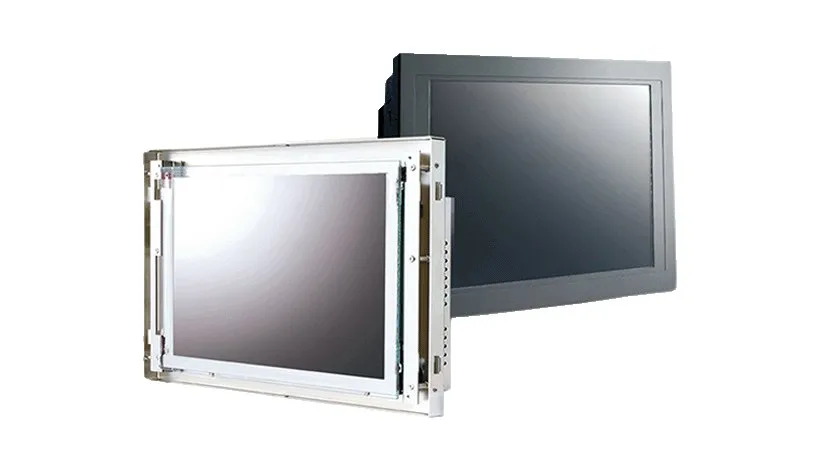
Product or family illustration. Configuration may vary.
Key features
- Define mounting, screen size, viewing conditions and touch requirements; confirm remote-management compatibility separately
Technical information
Ask a sales representative for the datasheet and configuration for your application.
Contact our sales teamCapabilities and options depend on configuration and process conditions. Confirm your requirements with an applications engineer.
Applications
- Mount an operator interface in a machine control panel.
- Integrate an open-frame touch display behind a kiosk fascia.
Other models in this family
Common questions
When should I select open-frame or panel-mount?
Advantech describes IDS-3100 as an open-frame family with rear or VESA mounting, and IDS-3200 as a panel-mount family with front, panel or VESA options. Check the cutout, mounting depth, brackets and cable clearance for the exact display.
Does the ingress rating cover the complete installation?
Advantech describes an IP65-rated front frame for the IDS-3300 family. Review which surfaces and mounting conditions the selected display’s rating covers, then check exposure at the front and rear of the assembled enclosure.
Explore further
Documentation & references
Use the references for each solution to explore further. Talk to our sales team about the configuration, accessories and requirements for your application.
Images illustrate products or families; they do not establish the revision or accessories of quoted equipment.
Share product information
The right information. Ready to share.
Send this information to your team, or download a QR card with SMarTsol and brand logos for presentations and printed materials.
Let’s discuss your application
Share your requirements to evaluate the right configuration.